

About the Author:
Unfold Founder & Creative Director Eddie Lobanovskiy builds high-impact brand identities and UI/UX ecosystems at the intersection of classical design and AI innovation. Designer of the XRP logo.
Every designer using AI eventually asks the same question: if the tool can generate a hundred options in a minute, what is actually left that’s mine?
I’ve spent my career building brand identities and UI/UX ecosystems, and I now work at the intersection of classical design and AI.
As a branding agency optimizing processes with AI, our answer at Unfold is simple. AI helps us explore more possibilities, but our creative team still decides what is worth pursuing.
Where AI tools fit in our design process
We use AI throughout the creative process: moodboarding, image generation, content, concept exploration, and dev prototypes. GPT, Grok, and Claude help with organization, content, support, and ideation, among other things.
The biggest benefit is speed. It lets us explore more directions earlier, without committing a lot of time to each one.
Moodboarding, reimagined
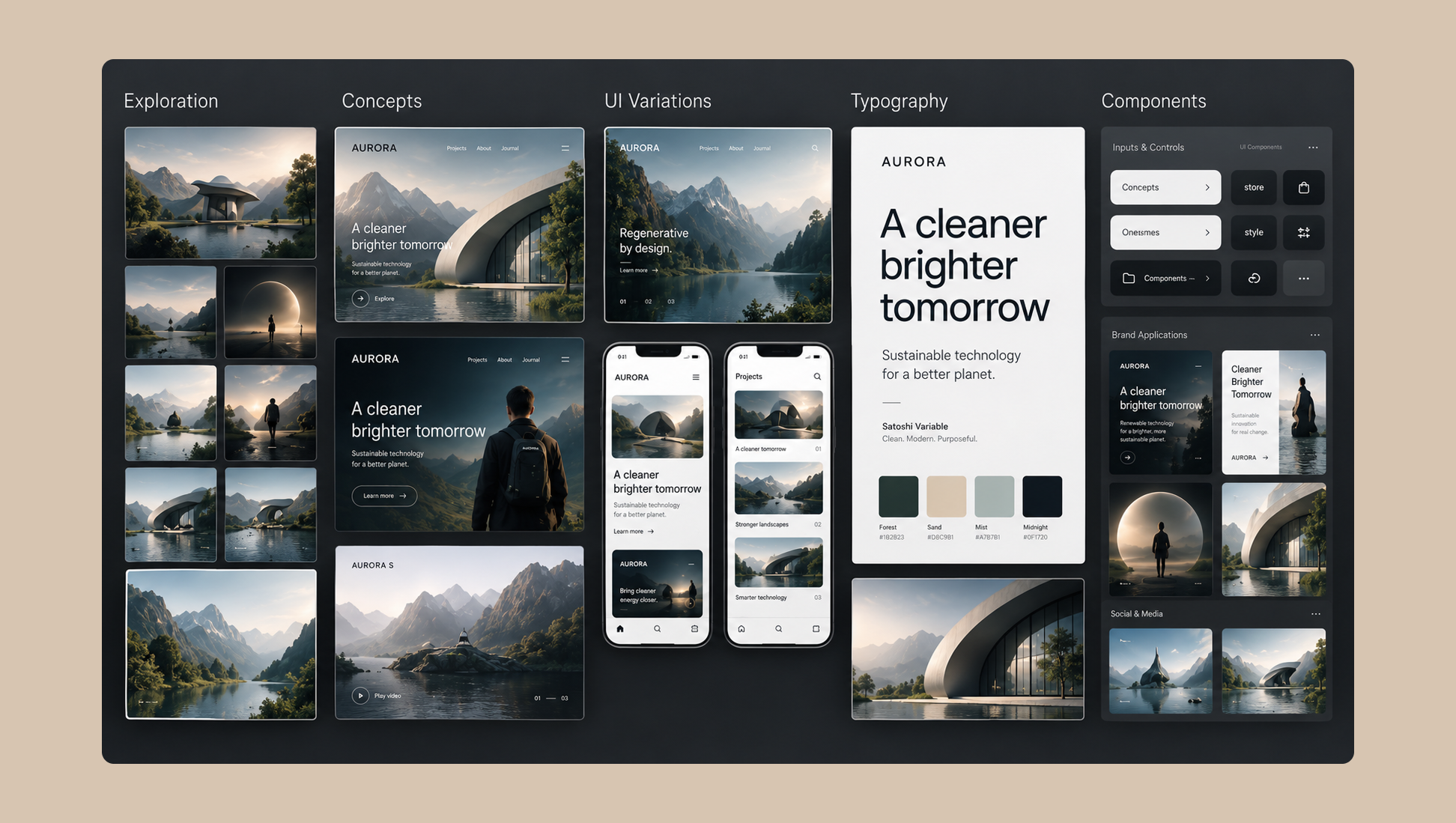
Moodboarding has changed a lot for us. Instead of only searching for references that already exist, we can generate something closer to the exact visual idea we have in mind.
Branda (www.branda.co), our own brand tool, helps us generate ideas and sketches quickly. When we need tighter control over the visuals, we turn to Recraft, which gives us the most control over image generation.
We recently partnered with BPay, a peer-to-peer payment system. We had a general idea on the direction of the design, so we plugged it into AI, and it output a few directions that we can go in.
After we generated a handful of concepts, we pulled out what we thought could work really well and work well together, created a polished version of the direction, and sent it out to the client.
Basically, it avoided us hours of looking for moodboarding and other work, and we were able to pinpoint the exact direction we wanted.
The first output is never the final output
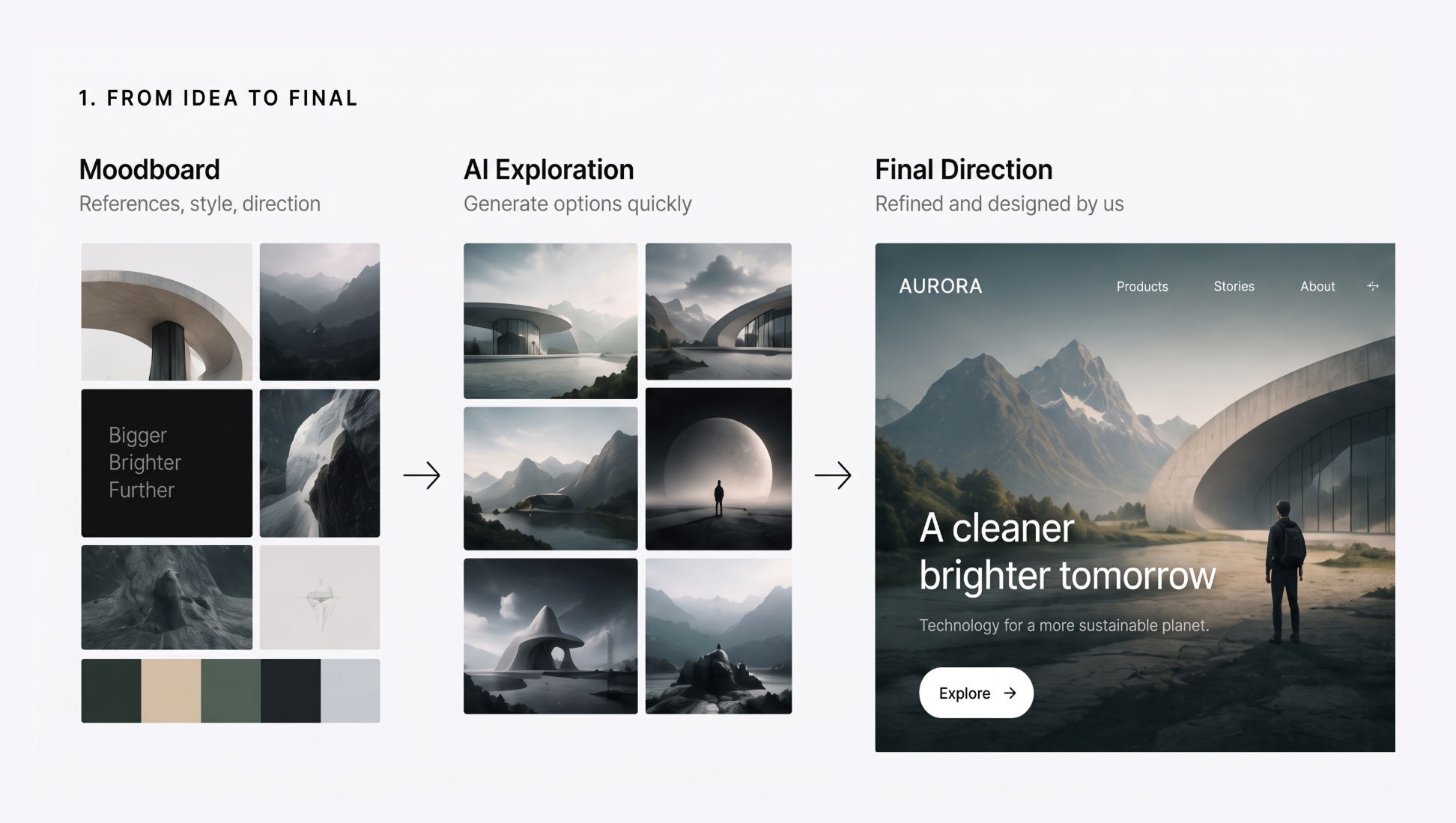
We rarely treat the first AI output as final. It’s usually a starting point that gets refined, redesigned, rewritten, combined, or rebuilt.
This is where the risk sits. If you accept the first result, everything starts to look the same. That’s why the designer’s role becomes even more important: you have to know when to push further.
Taste is the filter
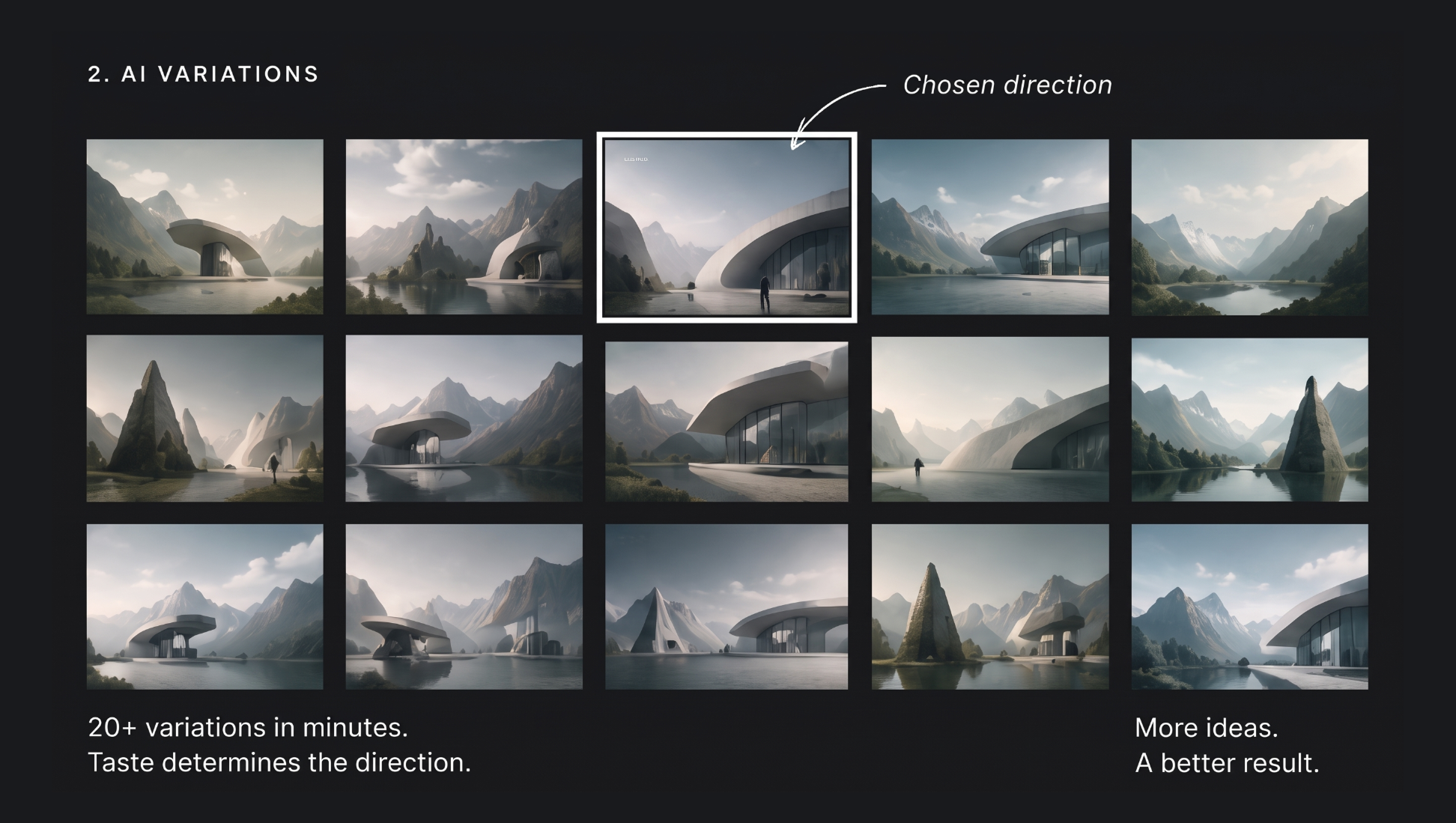
AI gives us more possibilities, but taste is still the filter.
AI can generate endless options, but someone still has to know what is actually good, what feels generic, and what fits the brand. That judgment is the part no tool supplies.
It’s also why we start with an idea or direction first, then use AI to help us explore it, rather than letting the tool decide the direction for us.

AI prototyping beyond static screens
AI has also made prototyping much more powerful. We can move beyond static screens and create interactive ideas much earlier in the process.
Replit is our go-to for quick prototypes and web or product ideation, including live versions. Variant is another tool we use for fast web and product ideation, and it tends to push us in more creative directions. An interactive prototype in front of a client early on changes the conversation from “imagine this” to “try this.”
In fact, we did the design and frontend development for our client, Videobase (a video creator monetization platform), all within Replit.
We still used Figma for collaboration and feedback, but the actual live prototype helped the client visualize things that a flat Figma file wouldn’t: load effect, hover states, icon animations, graphs, etc.
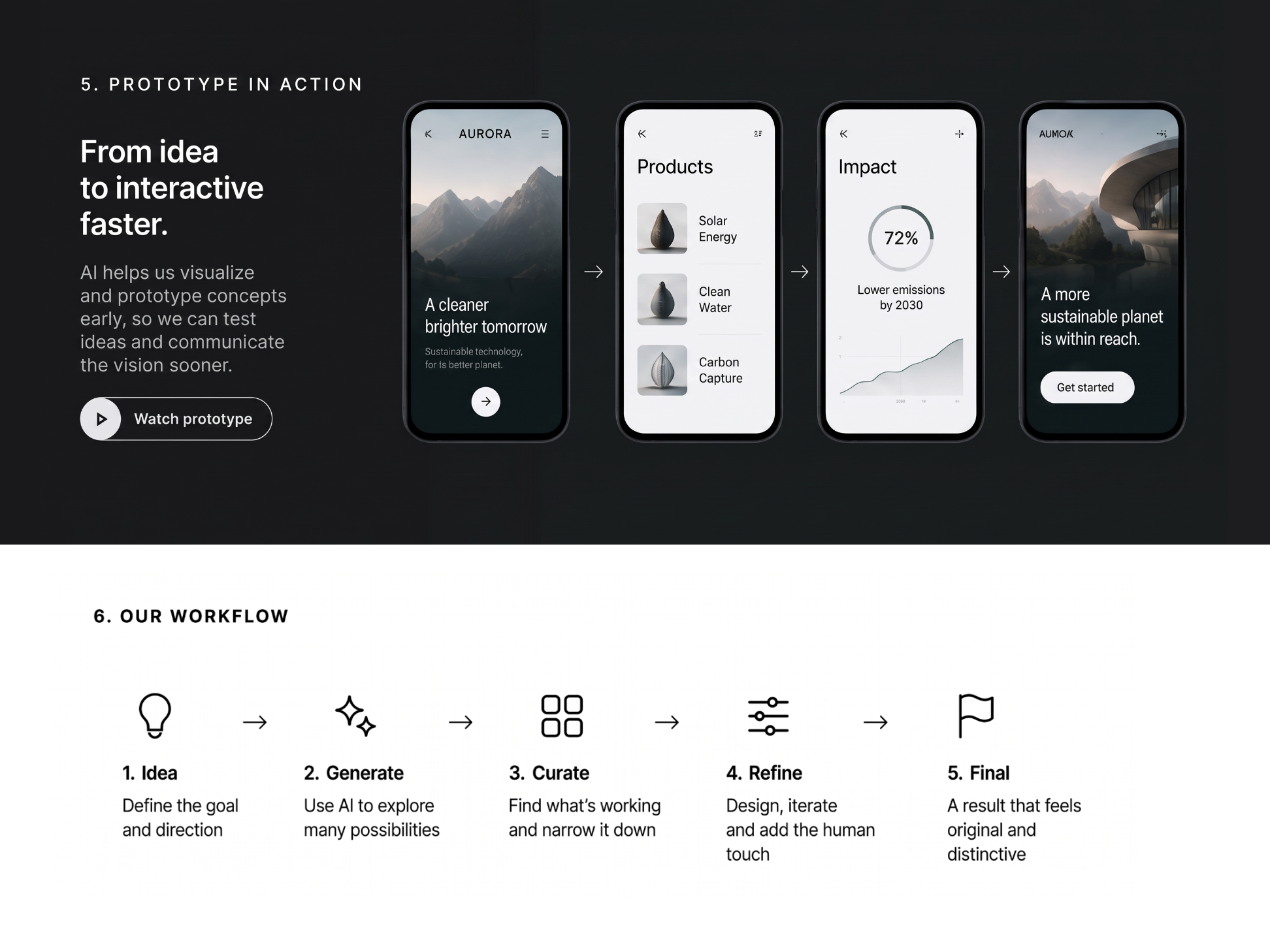
What originality means for an AI-powered design studio
For us, originality is not about manually creating every single pixel. It’s about the idea, the art direction, the decisions, the combinations, and the final point of view.
Originality is in the direction and decisions, not just who touched every pixel.
Because of that, we see the graphic designer becoming more of a creative director, editor, and curator, in addition to being a maker. That’s an upskill, not a replacement. It means clients working with an AI-powered design studio get sharper direction and more considered choices, not just more output.
Using AI responsibly with client work
We love using AI to help brainstorm and speed up our design work, but we’re always super careful with it. We know how important client confidentiality and NDAs are, so we make sure to keep a close eye on exactly what information goes into any third-party AI tools.
Since AI data privacy can be a bit of a grey area and many tools learn from the data people type into them, we always keep our guard up.
When we’re working with high-profile clients or sensitive project details, we make a point to keep our prompts friendly but vague. We avoid using real brand names or specific client details in the tools so that your information stays completely safe, private, and just between us.
How to hire a design agency that uses AI strategically
The tools will keep changing, and the options they produce will keep multiplying. What separates original work from generic work is the same as it has always been: a clear direction and the judgment to know what’s worth keeping.
If you’re wondering how to hire an ai designer, look for one that uses AI to sharpen its process, not replace its point of view.
We use AI to accelerate the process, not outsource the thinking.
Find more Community stories on our blog Courtside. Have a suggestion? Contact stories@dribbble.com.


